How to add keyboard layout
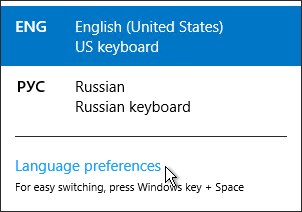
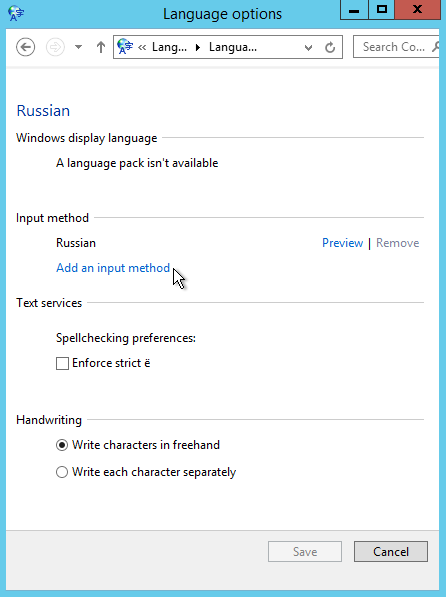
To add keyboard layout, please follow these steps:
1) Right click on language bar
2) Language preferences
3) Find wanted language and press option
4) Input method -> add input method
5) Choose wanted layout.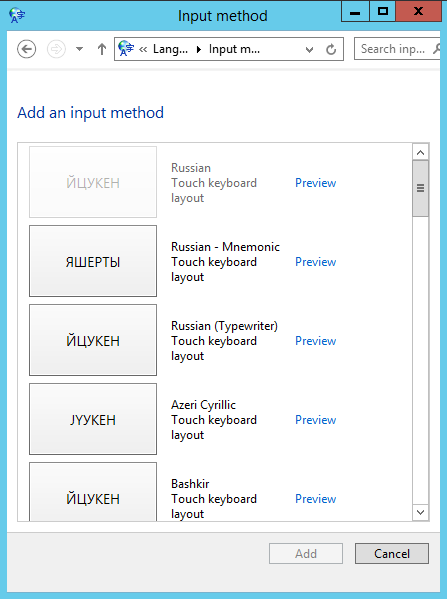

To add keyboard layout, please follow these steps:
1) Right click on language bar
2) Language preferences
3) Find wanted language and press option
4) Input method -> add input method
5) Choose wanted layout.
In order to get remote support please download our support application and provide your id and...
The limit is set to 25mb
To configure proxy IP address, please follow steps:1. Run Internet Explorer 2. In the upper right...
SafeOffice secutity level is very high Multilevel network protection system High Availability...
Resizing the Linux Partition This article will show you how to resize in three ways: 1. With a...