How to change regional settings per user в Windows 2012 R2?

To change regional settings including short date, long date, short time, long time, first day of week for specific user please do the following :
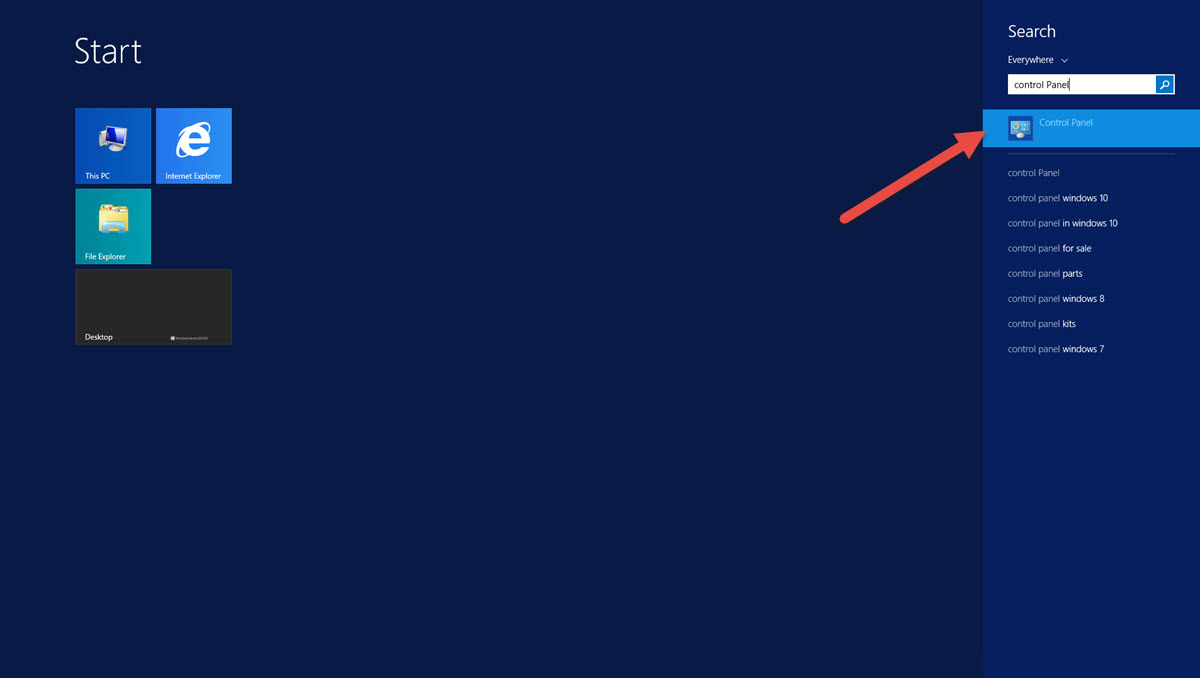
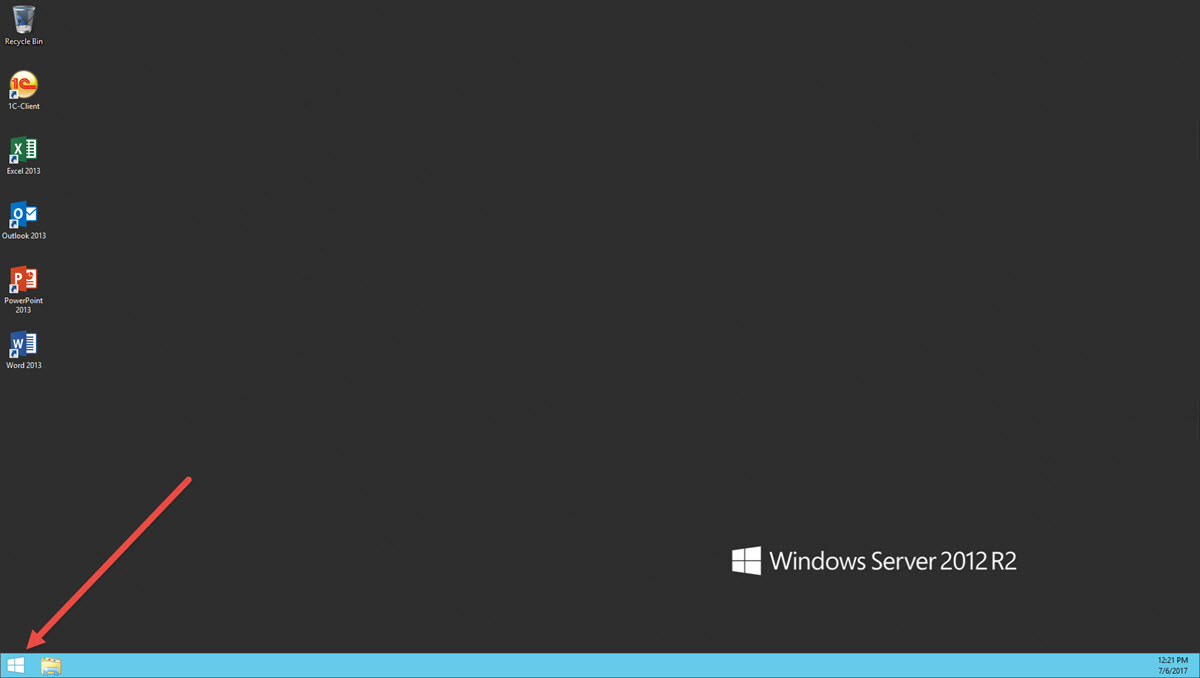
  1. Click on Start.
  2. Type "Control Panel", and pclick on "Control Panel" icon
    SwissInfoCloud Change date and time settings / date and time - control panel.jpg
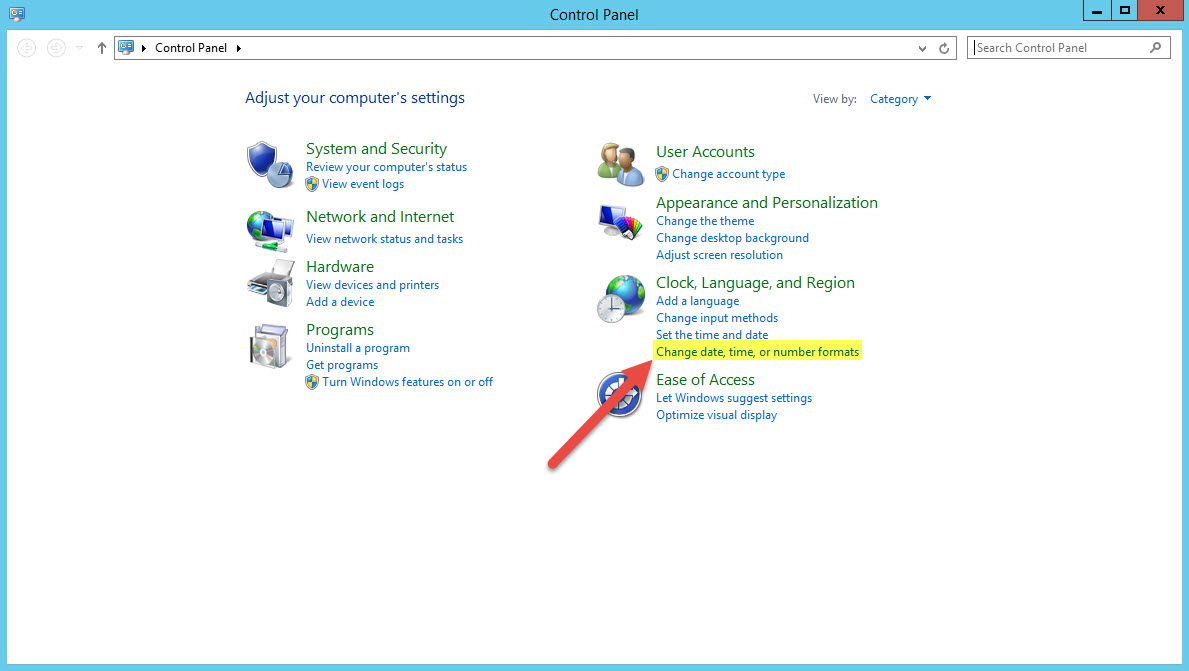
  3. In "Control Panel" find and click on line "Change date, time, or number formats
    Change date and time settings/date and time - control panel change date time or number formats.jpg
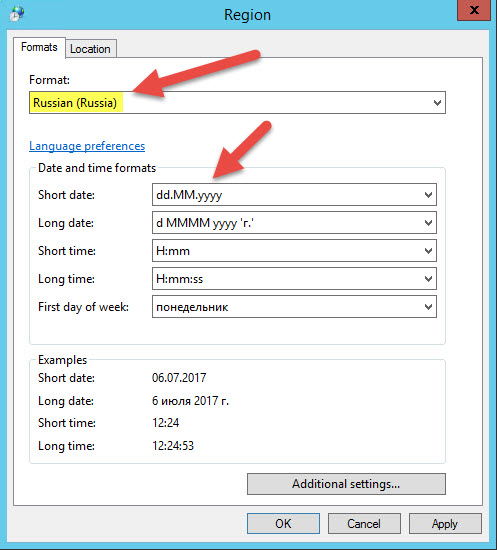
  4. In "Region" window, "Formats" tab, choose desired preset in field "Format", for example "Russian (Russia) and choose more precioos formats. You can see example in the bottom.
    Change date and time settings/date and time - region settings.jpg
Still need help?  Contact our support here: https://www.swissinfocloud.ch/Contact/

¿Fue útil la respuesta?

 Imprimir éste Artículo

Leer también

Does "Swift chat" save conversation history?

The server site of "Swift chat" doesn't save your conversations.However,it can be saved lacally...

How to add keyboard layout

To add keyboard layout, please follow these steps:1) Right click on language bar2) Language...

How to change password

In order to change the password of your account, please visit The change password page...

How to configure proxy ip address

To configure proxy IP address, please follow steps:1. Run Internet Explorer 2. In the upper right...

Installation of FortiToken Mobile

1. Go to Store2. In the search box, type "fortitoken mobile" and choose the app FortiToken...