VPN IPsec configuration for Windows

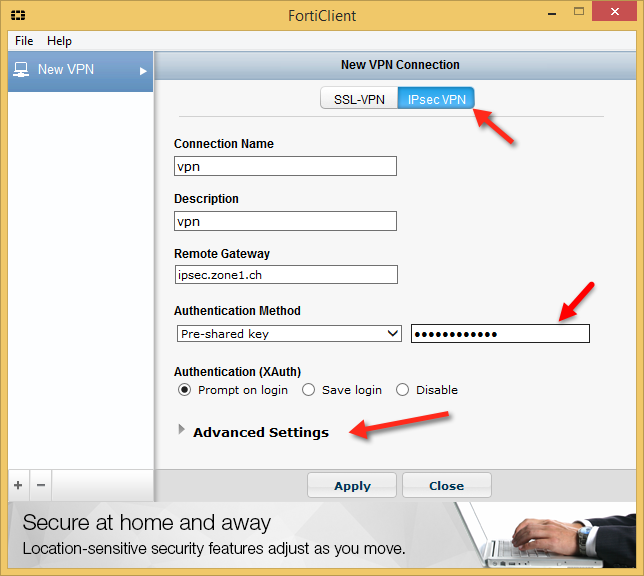
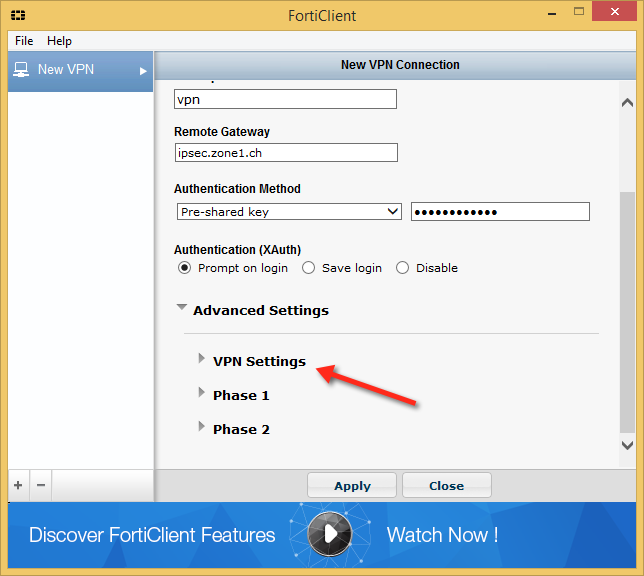
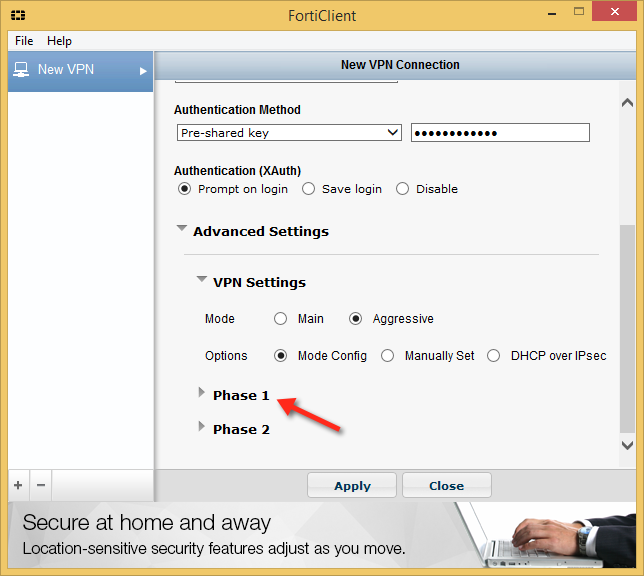
To configure IPsec connection on Windows,please follow the next steps:

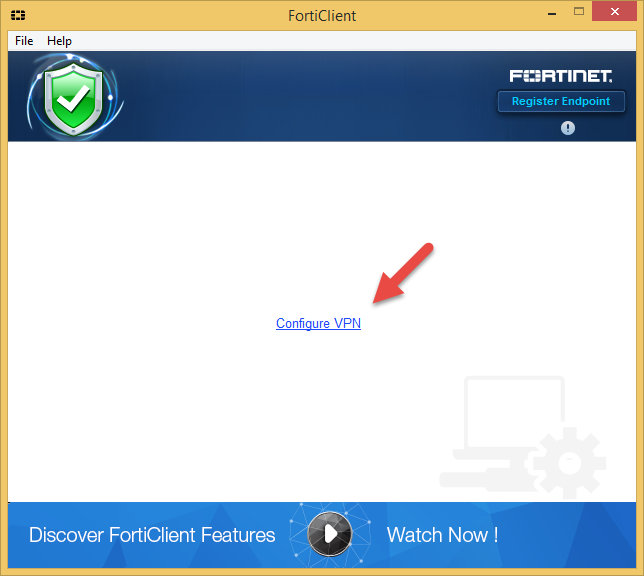
  • Click on "Configure VPN"
  • Connection Name: Any name you want. (Required)
  • Description: Any. (Optional)
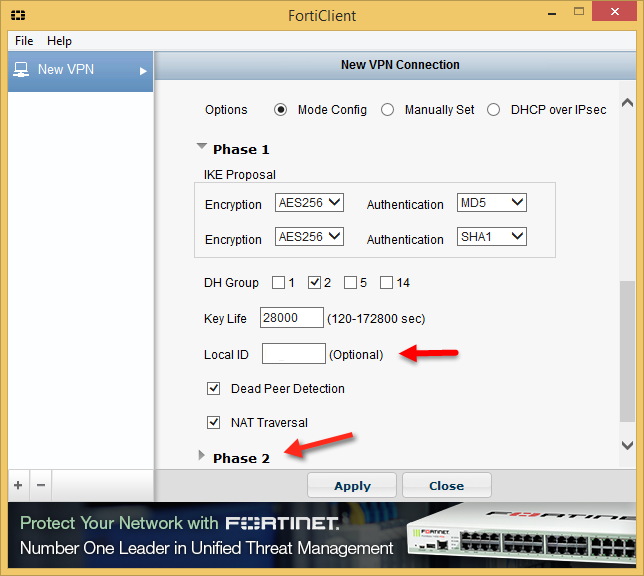
  • Pre-shared key and Local ID you can get from your Manager
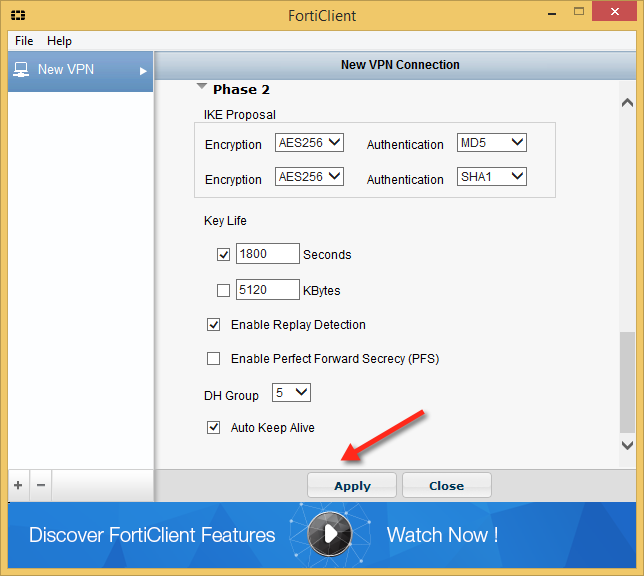
  • Please configure all other settings like shown on the pictures
Bu cevap yeterince yardımcı oldu mu?

 Bu dökümanı yazdır

Also Read

VPN IPsec Android configuration

You need to go to Settings -> Networks -> VPN -> Create VPN And fill in all the fields:...

VPN IPsec for OSX

Click on Apple --> System Preferences --> Network --> Add new network (+)...

VPN SSL for Windows

For a secure connection, you must establish a VPN connection.If you do not have FortiClient VPN...

FortiClient Logging

To enable logging go to: 1. File > Settings. 2. Choose the Logging Level - “Debug”It is...

VPN SSL for OSX

To create a VPN SSL, we use the program Forticlient. Download and install on your Mac. * If the...