Outlook won't remember password
If Outlook requests your password each time after starting, you can try the following:
All settings must be performed on the system with Outlook, if the problem with the login on the local computer is done on the local, if on the remote desktop, then we do there.
- Close Outlook and Skype.
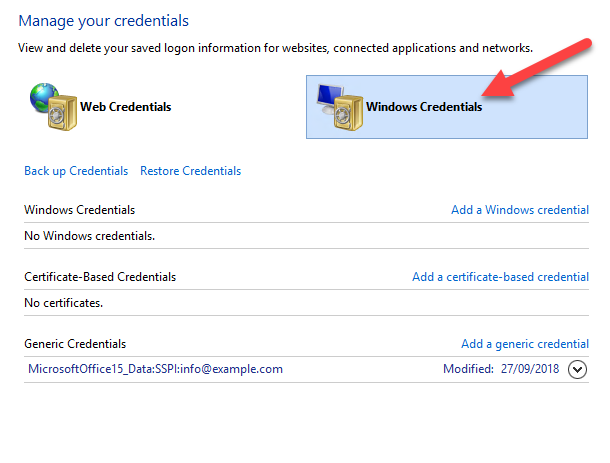
- Search "Credential Manager", in Start --> Search
- Choose "Windows Credentials"
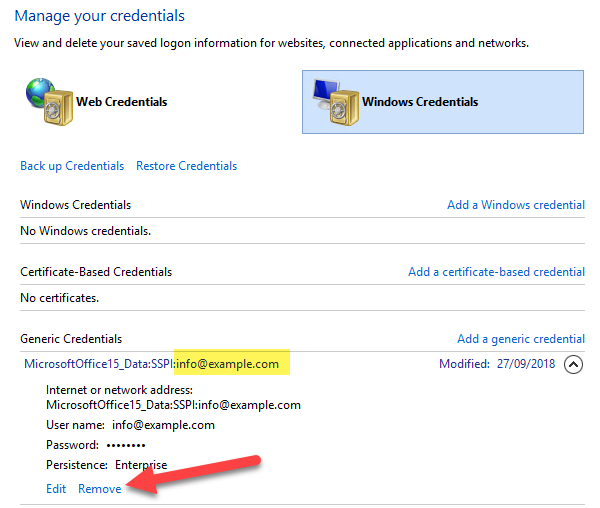
- Under "Generic Credentials" find the required user name and delete the entry. (delete all entries that have troubles with password remembering)
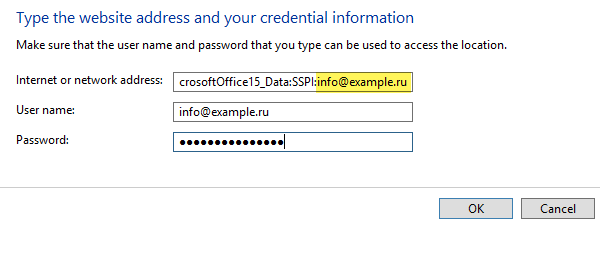
- Now, click on "Add a generic credential"
- In "internet or network address" specify "MicrosoftOffice15_Data:SSPI:"(for Microsoft Office13) and "MicrosoftOffice16_Data:SSPI:"(for Microsoft Office16) and your e-mail address (as shown on the screenshot), Type your "UserName" and "Password" and submit.
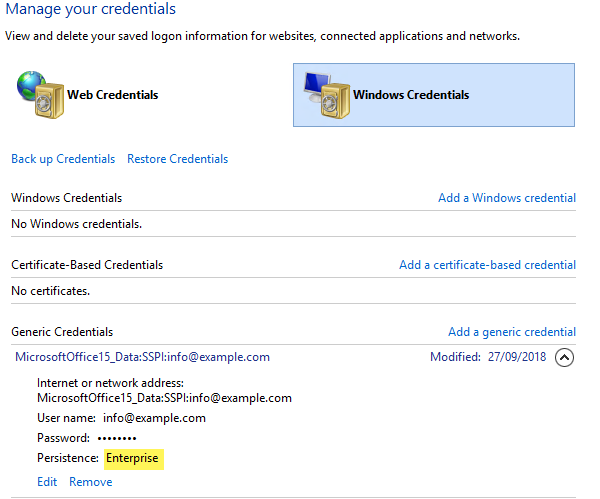
- Unfold the entry and make sure that "Persistence:" has the "Enterprise" value.