Set up Thunderbird IMAP
To configure the SafeMail box via Thunderbird, you need to download and install this mail client.
Download this application: Thunderbird
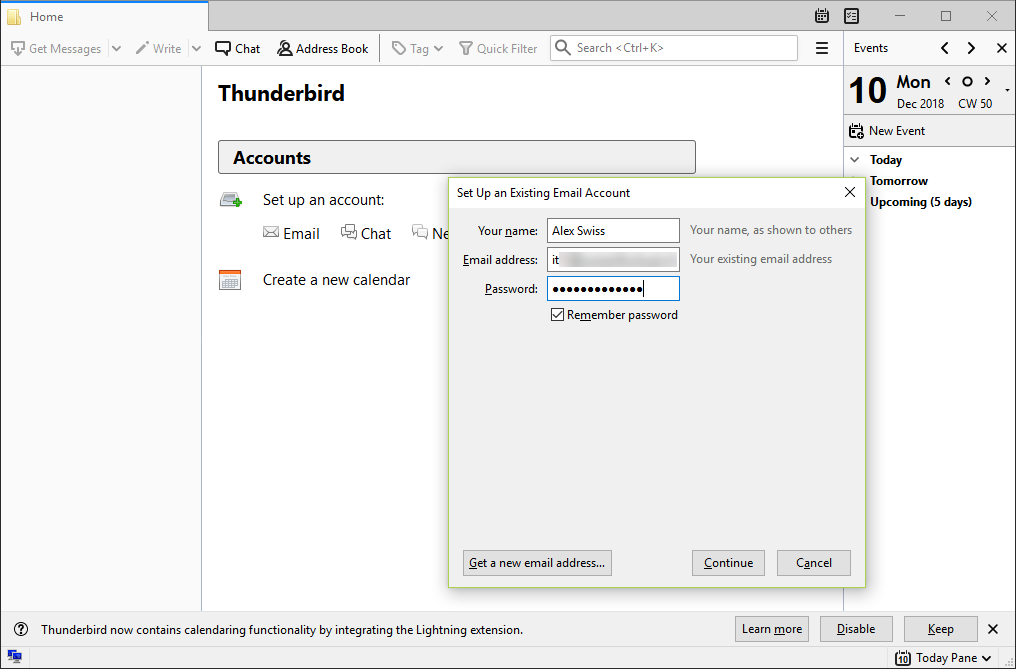
After installation, when you first start, you need to set up an account:
- Your Name: your name
- Email adress: your email.
- Password: your password.
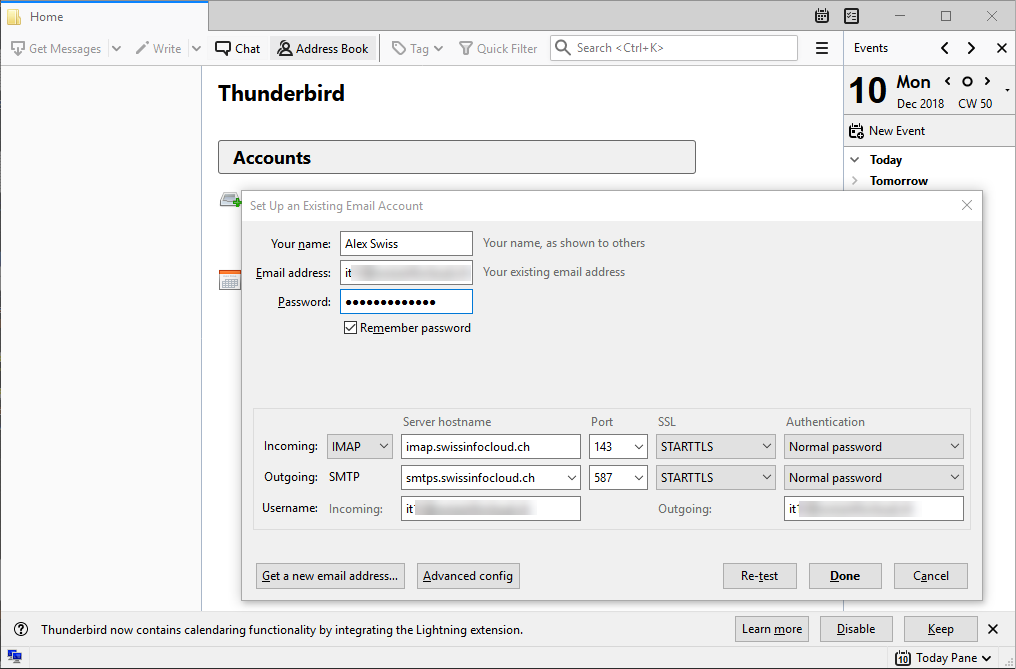
Next "Continue" --> "Manual Config" and set the settings:
Incoming:
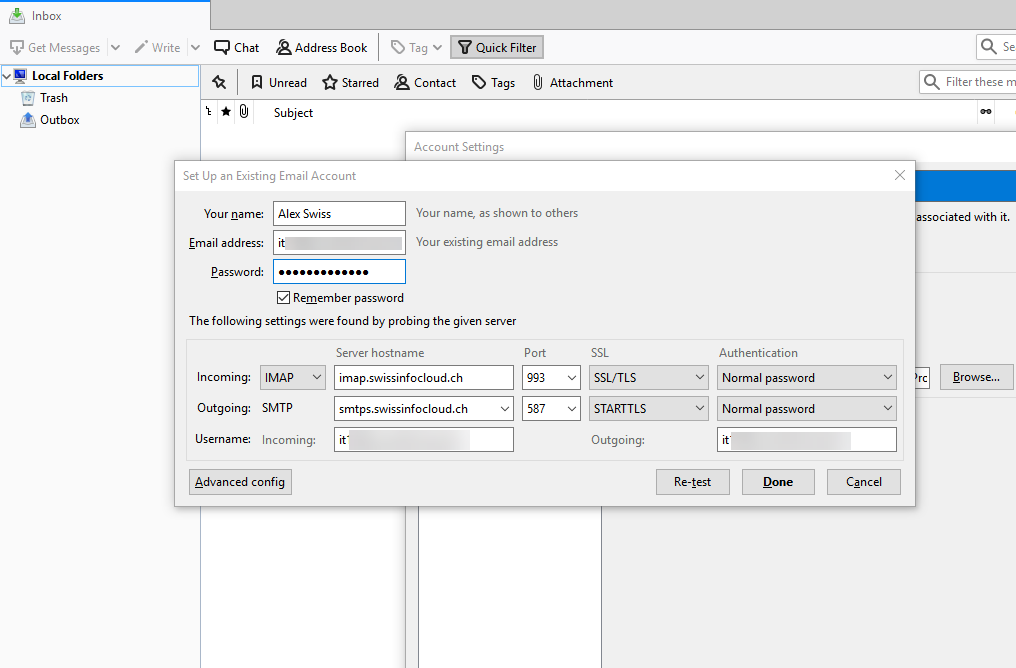
Incoming mail can be configured using SSL or STARTLS:
STARTLS:SSL:
- Protocol: IMAP
- Server Hostname: imap.swissinfocloud.ch
- Port: 143
- SSL: STARTTLS
- Authentication: Normal password
- User name: your email.
- Protocol: IMAP
- Server Hostname: imap.swissinfocloud.ch
- Port: 993
- SSL: SSL/TLS
- Authentication: Normal password
- User name: your email.
Outgoing:
Next "Done".
- Protocol: SMTP
- Server Hostname: smtps.swissinfocloud.ch
- Port: 587
- SSL: STARTTLS
- Authentication: Normal password
- User name: your email.
Mailbox configuration on Thunderbird is complete.